Customization
Customize your Scenes to Match Your Brand
Control every detail of the customer experience — from colors and tone of voice to access rules and login screens — so your digital twin feels like yours.
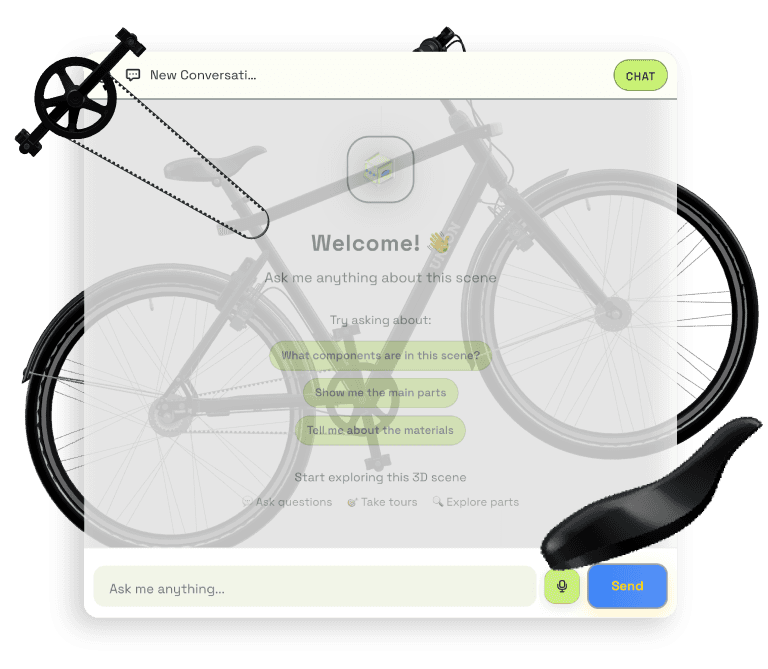
Key capabilities
Your product, your experience, your brand
Fine-tune the look, personality, and access controls of every published scene to deliver a consistent, on-brand experience across sales, support, and training.
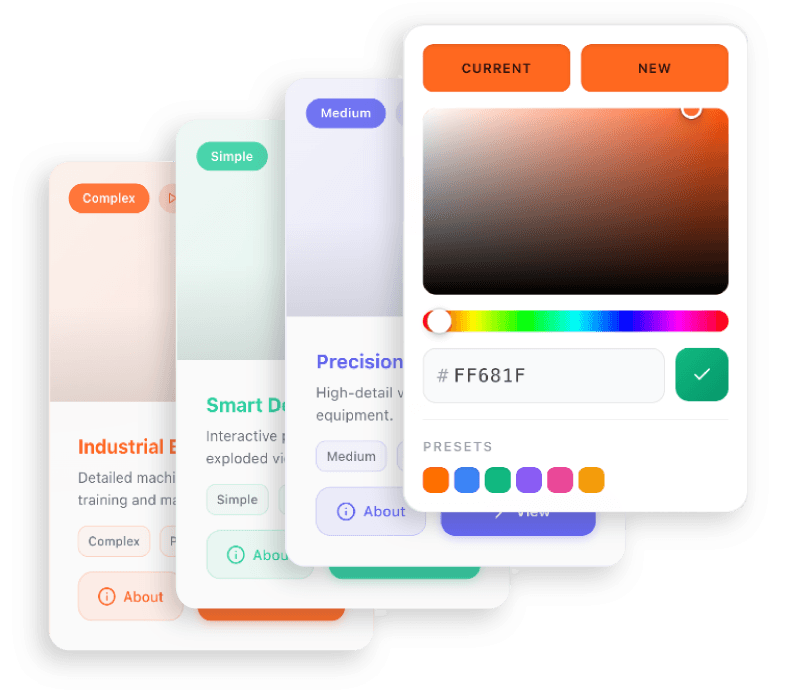
Fully customize the look of your viewer and pages — colors, materials, layouts, and UI elements — so every customer touchpoint matches your brand identity exactly.
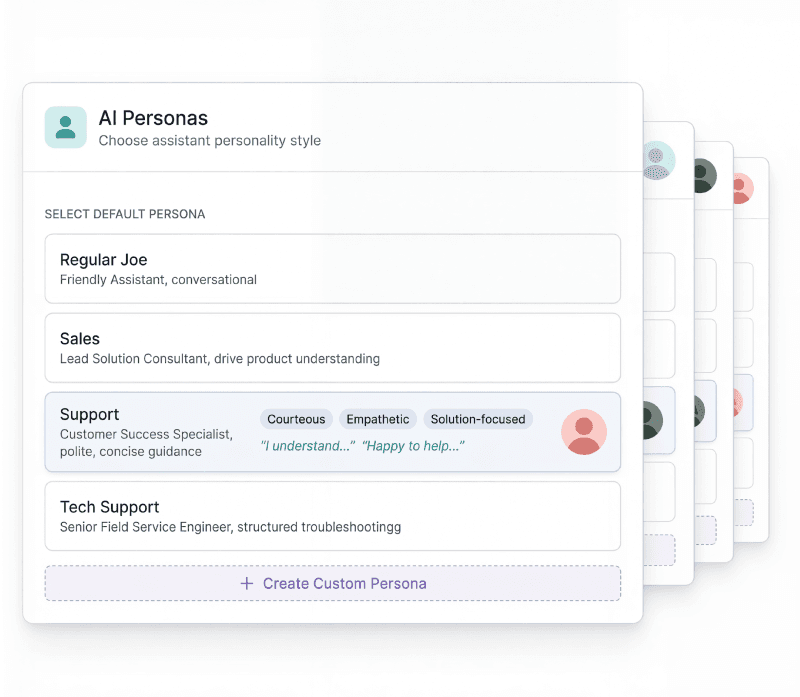
Choose how your AI agent sounds and behaves. Pick from built-in personas like Sales, Support, or Tech — or create your own with a custom tone, personality, and voice to match the experience you want to deliver.
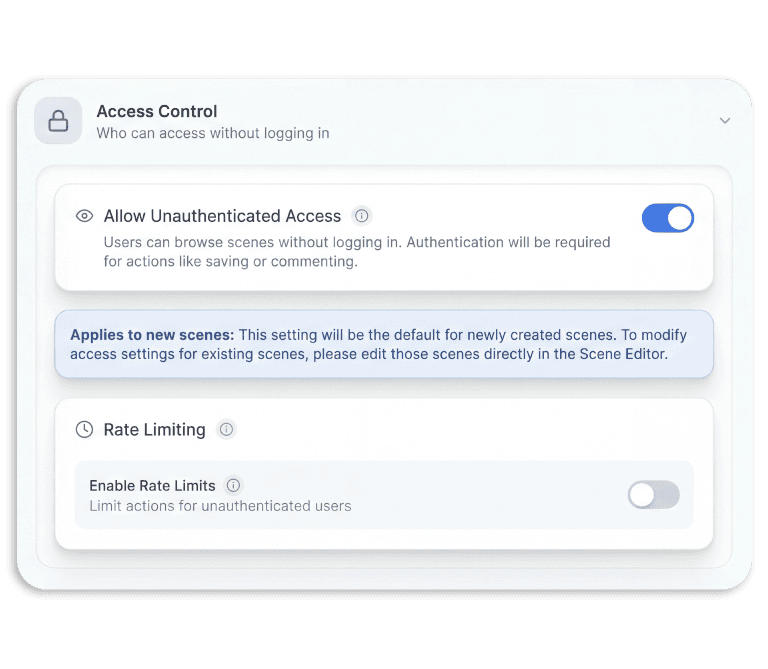
Decide who can access which scenes and how. Enable public browsing, require authentication, set rate limits, and manage permissions — with defaults that apply automatically to every new scene you publish.
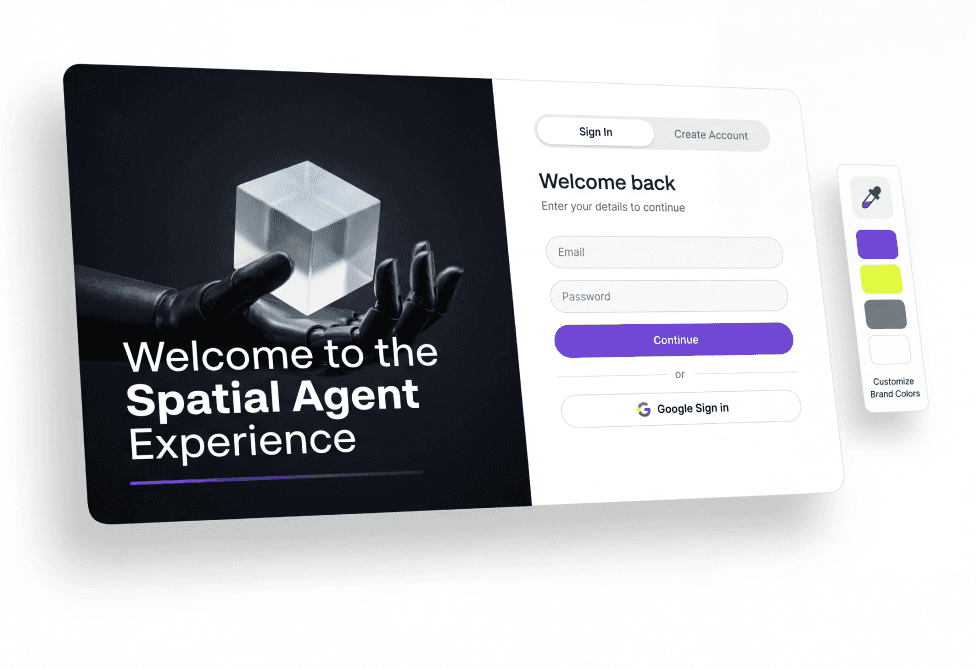
Customize the login and welcome screen your customers see first — with your branding, messaging, and sign-in options — so the experience feels seamless from the very first interaction.
Published as an interactive 3D experience and an MCP endpoint. Up to 2,000 component parts, delivered in under 48 hours.
First scene free
Interactive 3D + MCP
Up to 2,000 parts
Under 48 hours
create.3dscribe.com/start
Limited Time Launch Offer
01
Submit your assembly
Upload any major CAD format. No prep, no manual exports.
02
We build your scene
Every part identified, labelled, and enriched with technical metadata.
03
Experience and share
Explore it in the browser, embed it, or query it from your AI tools.
Offer closes in