3DScribe Studio
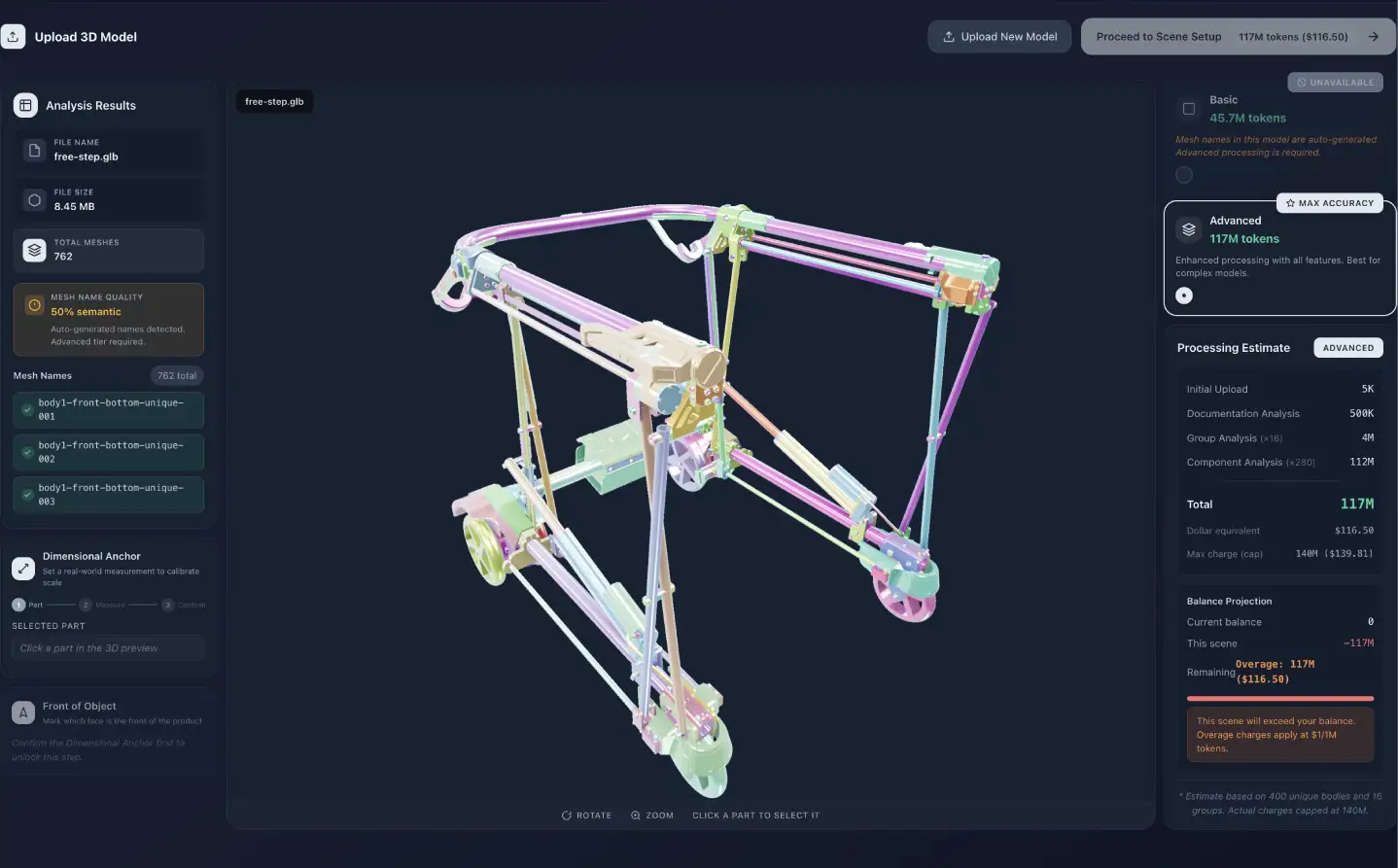
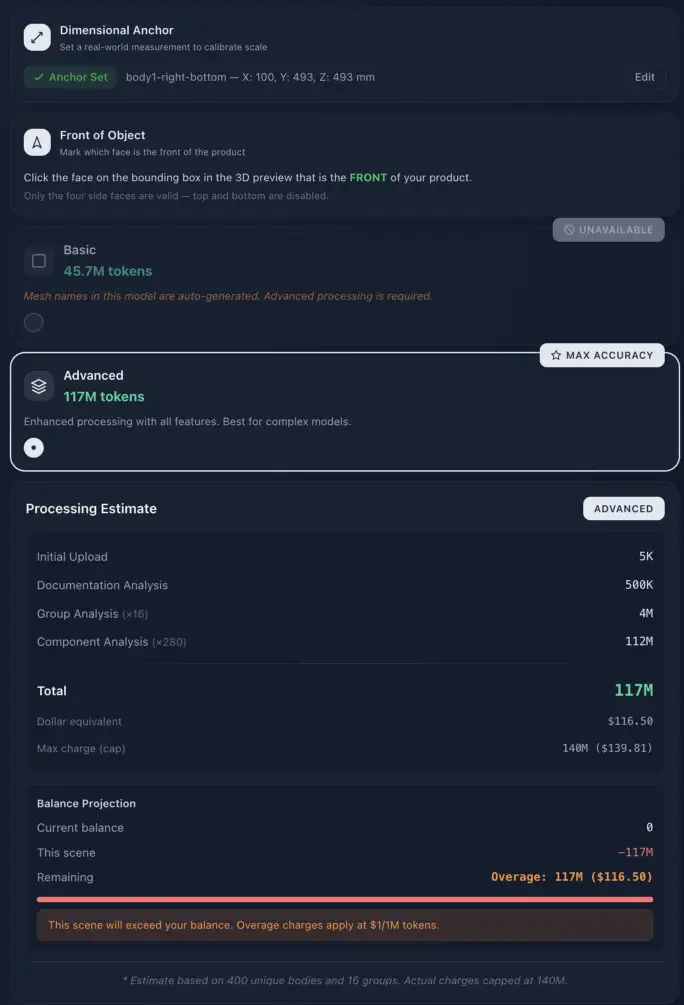
Upload CAD or 3D in any major format and Studio converts it to a pipeline-ready GLB. You anchor it to real-world millimetres and mark its front, so every measurement and every spatial answer downstream is true.
GLB, GLTF, OBJ, FBX, STL or an archive
Body count and price shown before you commit
Durable identity survives every later rename
Get started
Eight steps from mesh dump to published experience.
Structure the machine
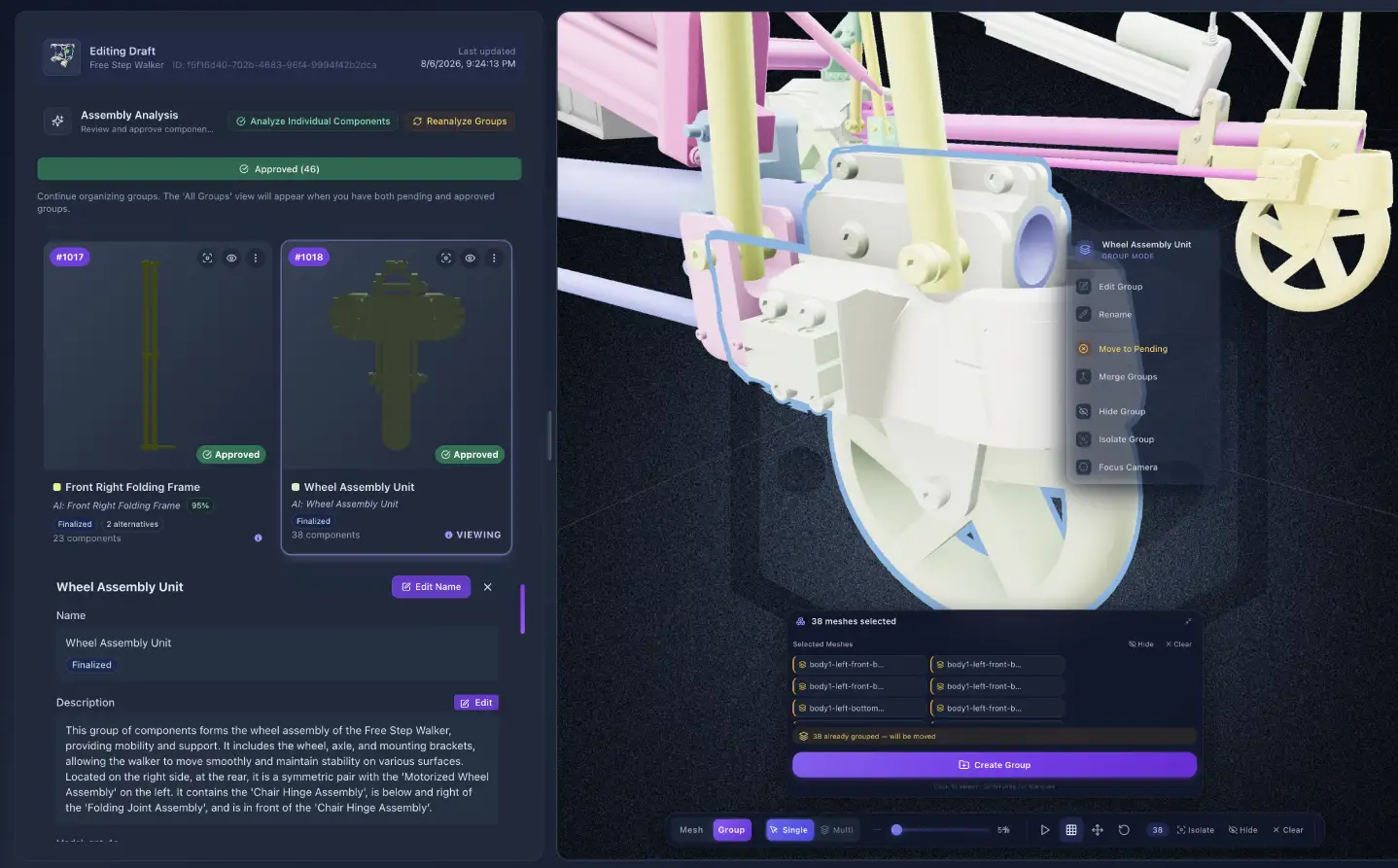
AI proposes assembly groups and identities with previews and live progress. You approve, reject, rename, merge, or draw a new group by selecting meshes — then finalize to lock the structure everything else is built on.
Confidence scores and alternative hypotheses
Create groups by selecting meshes in the viewer
From “Body_001” to a name a person would use
Enrich and extend
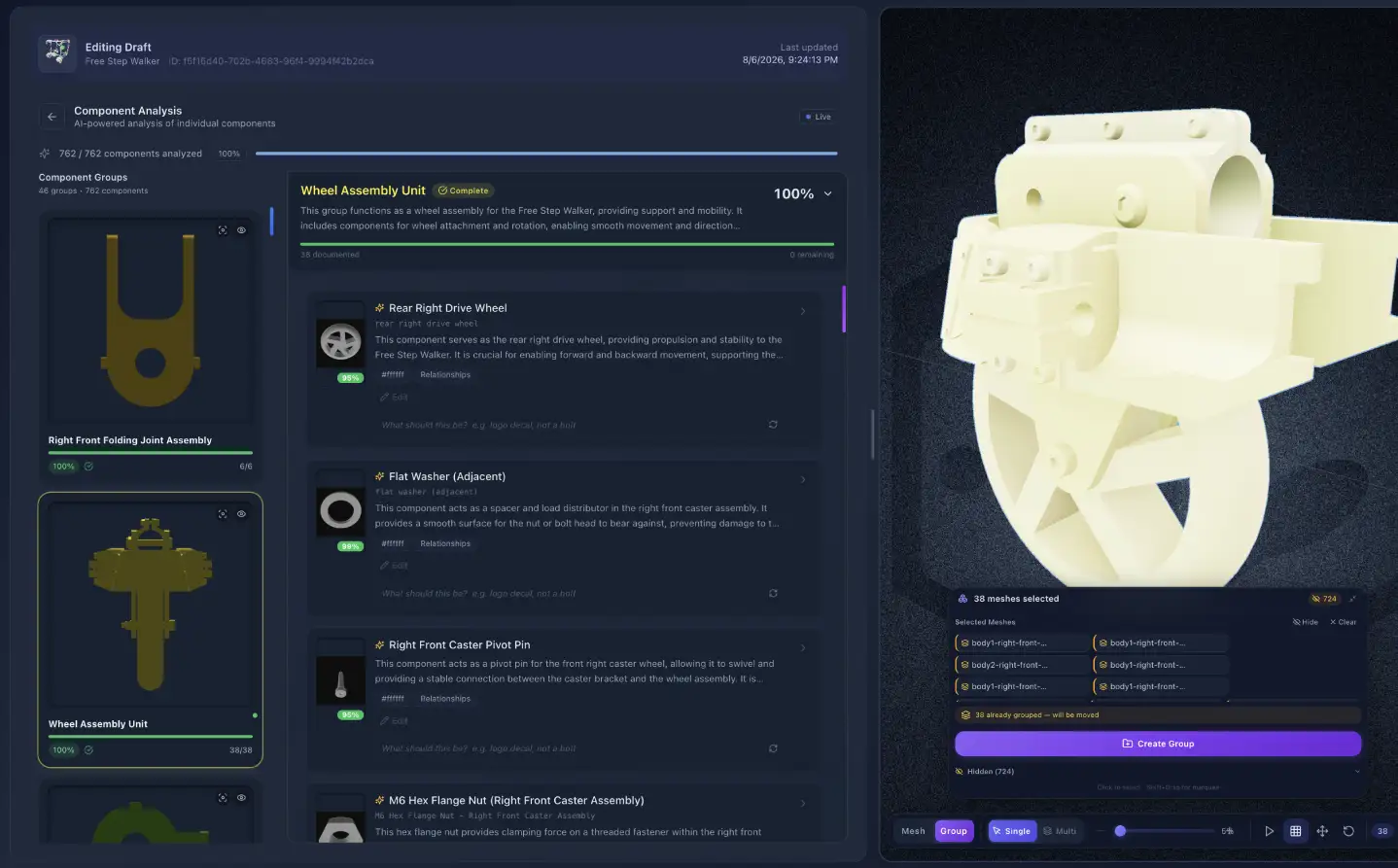
Descriptions generated, editable and finalizable — grounded in the product rather than the prompt. Categories, keywords and confidence signals tell your team what still needs a human eye.
Replacement parts, per part or per group
Targeted re-identification — part, group or every twin
Deploy-ready domain knowledge and tech specs
Author the experience
Guided tours over camera positions and parts with optional narration. Demonstration, creative and AI-generated motion. Named configuration states — service pose, open cover, full extension — captured from an animation or posed directly.
Tours become callable tools after publish
Ghost motion generated from a description
States retrieved by description, not by label

Login, home, viewer, chatbot, voice and MCP branding are all first-class surfaces — not a CSS afterthought. Accent, tint, background and surface colours, logos, welcome copy, fonts, and glass and motion options.
Every surface carries the tenant's identity
Voice personas — sales, support, tech support
Materials, lighting, bloom and ambient occlusion

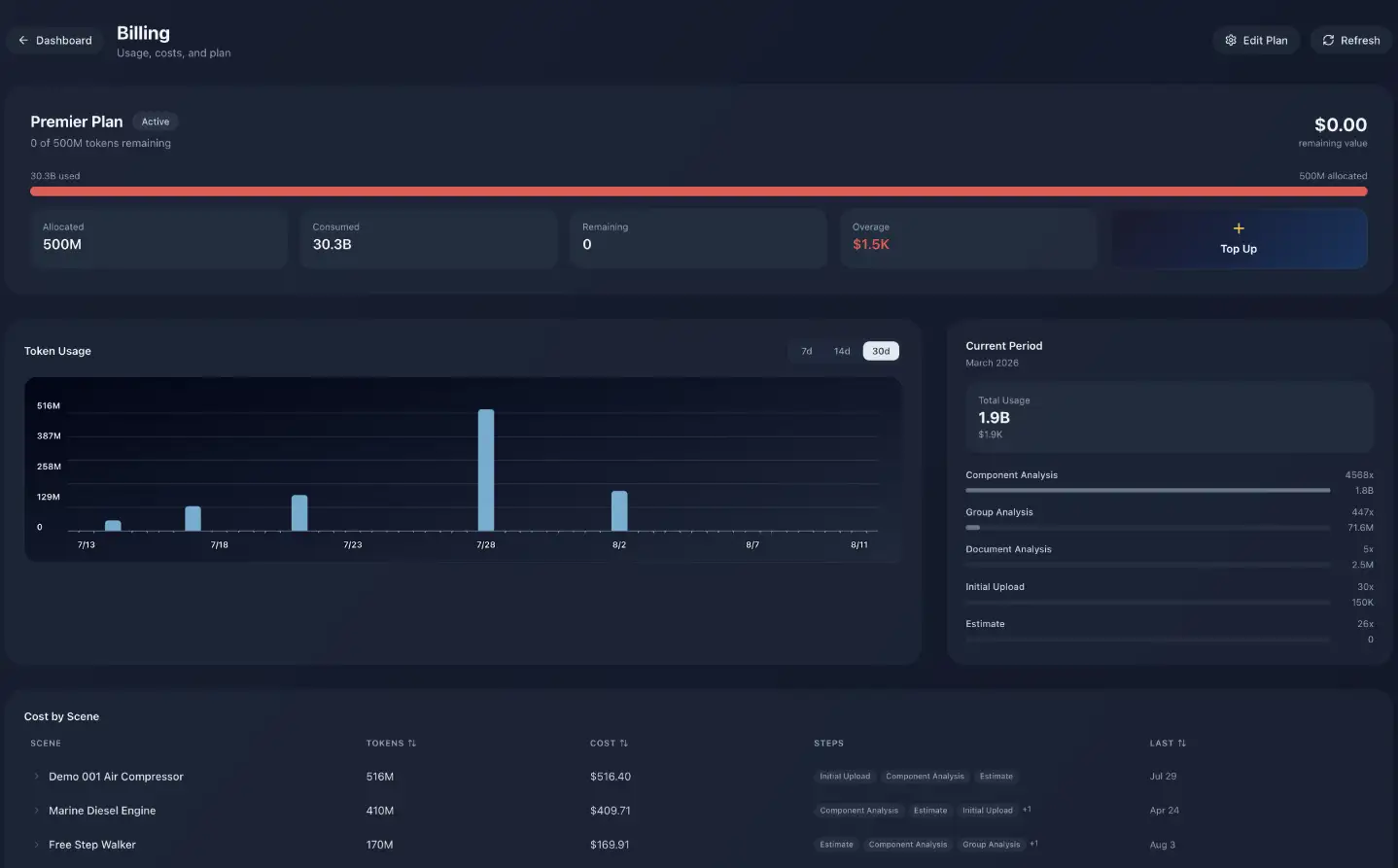
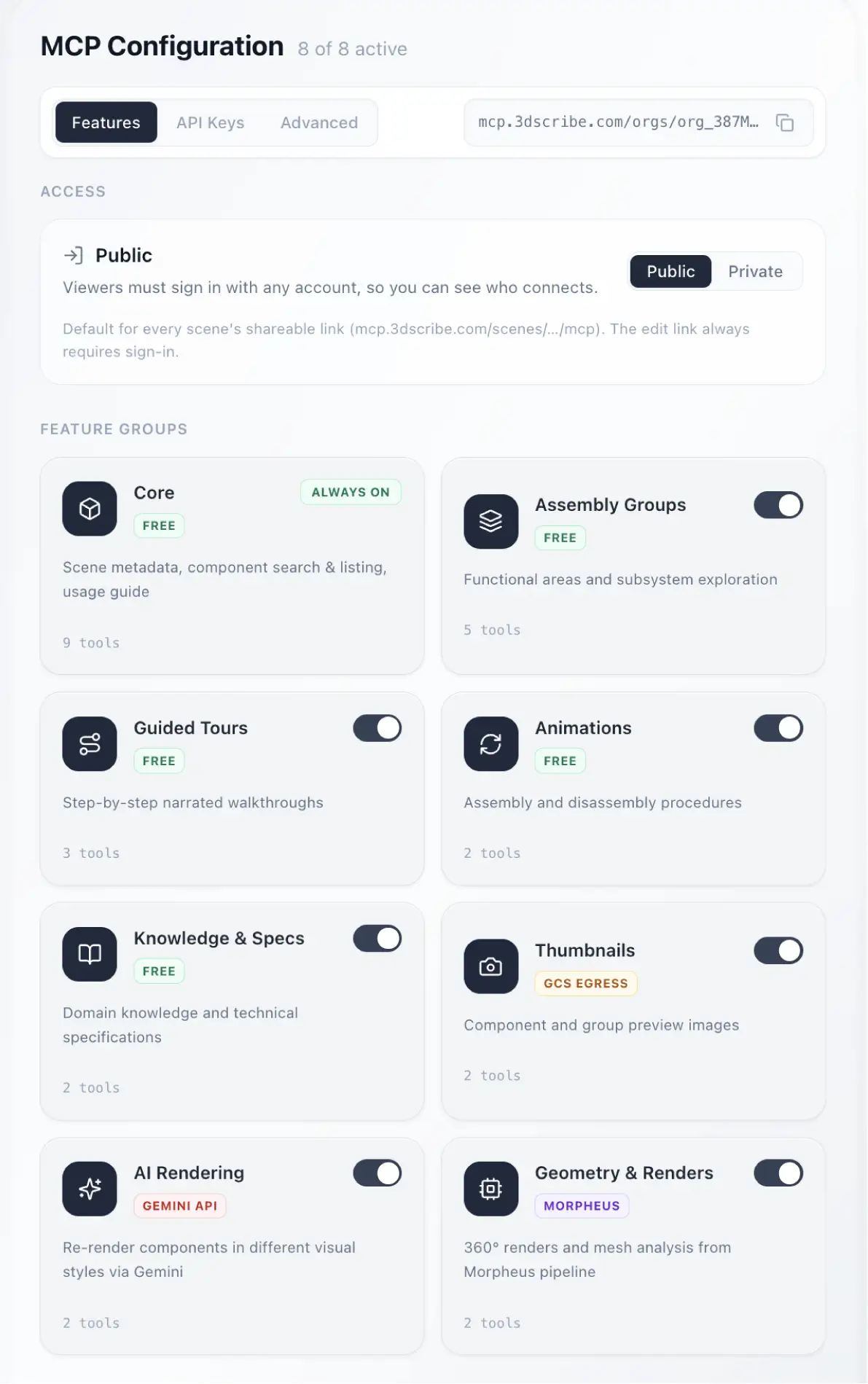
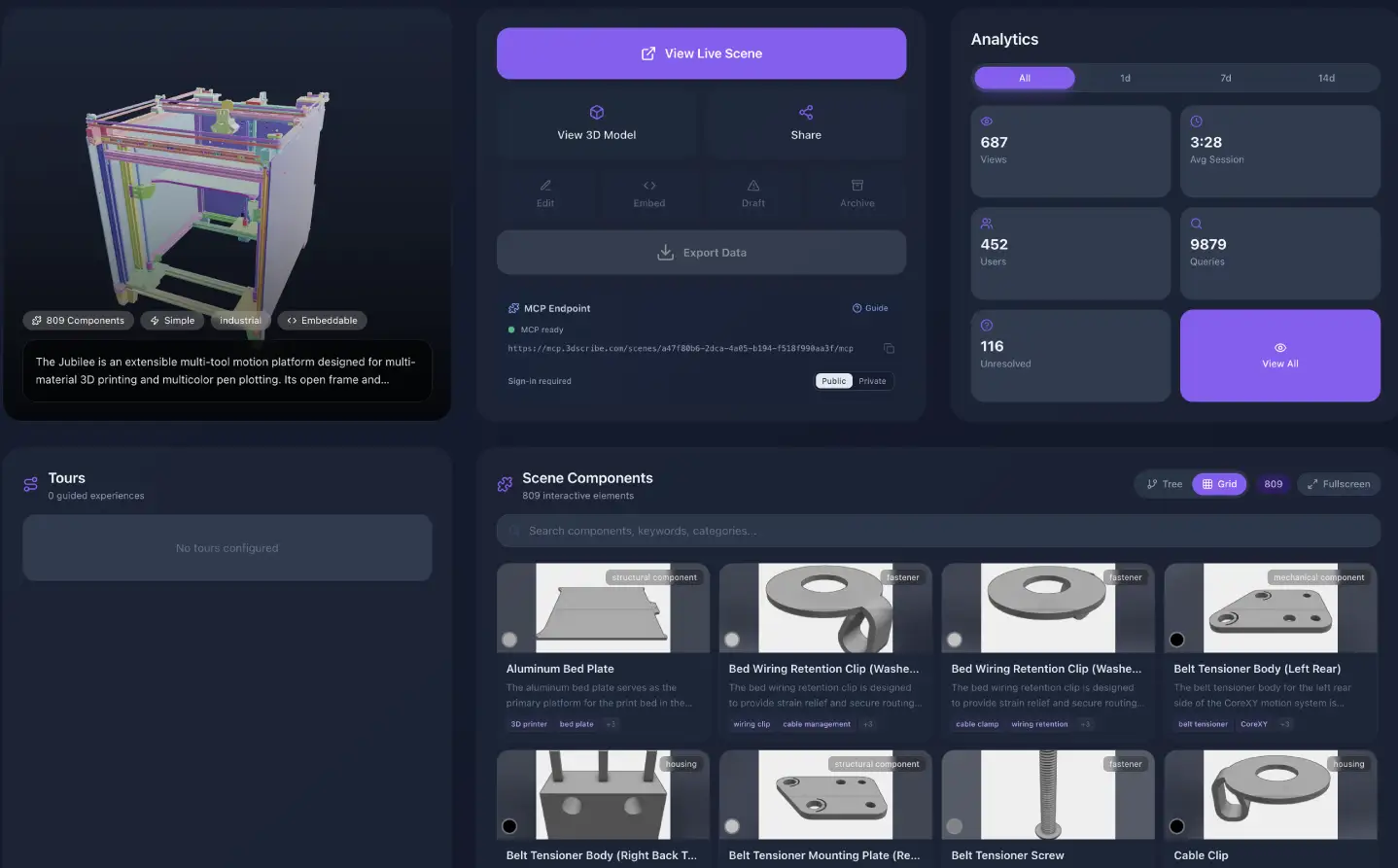
The wizard builds a scene. The platform runs the portfolio — every product in one library, with the team, measurement and cost controls an enterprise buyer asks about before they sign.
Roles, invites and multi-workspace switching
Spatial replays — camera path, selections, visibility
Token allocations and per-step usage, before you spend
Deploy — and connect the agents
A watchable pipeline: validate, build thumbnails, optimise assets, prepare documentation, generate URLs, go live. The same published scene becomes an MCP endpoint, so agents inherit the structure Studio just authored.
Dev, production, public and embed URLs
Completeness gate before the world sees it
Tool groups, scoped keys and agent branding
Finish the wizard, deploy a branded experience, and ask the product something — as a human first, then as an agent over MCP.
Author once
Brand every surface
Prove it complete
Deploy to humans and agents
Start with a real product
Limited Time Launch Offer
01
Submit your assembly
Upload any major CAD format. No prep, no manual exports.
02
We build your scene
Every part identified, labelled, and enriched with technical metadata.
03
Experience and share
Explore it in the browser, embed it, or query it from your AI tools.
Offer closes in